


Brigit: Cash Advance & Credit
4.846.96K Reviews
App Specs
- Version
- 1198.0
- Updated On
- License
- Free
- Downloads
- 10,000,000+
- Developer
- Brigit
- Categories
- Finance
- Platform
- Android, iOS
Screenshots
 Analysis by AppCompare
I look at Brigit as a money-management app for people who want a clearer view of their finances and may need a short-term cash bridge. That combination can be useful, but it also calls for careful attention: an advance is still money you need to repay, not extra income. In my view, the app makes most sense when you understand the repayment timing and treat borrowing as an occasional fallback rather than part of a regular budget.
Finding your way around the app
Brigit is a finance app developed by Brigit, and its tools bring together cash advances, credit-building support, budgeting and saving. I find that mix more practical than an app focused only on borrowing, because it gives you a reason to check in when you do not need an advance. Instead of opening it only during a money emergency, you can use its financial features to make a plan for the weeks ahead.
Its interface is intended to make money information approachable, including for people who do not enjoy working through spreadsheets. That matters when bills are competing for attention: a readable overview can help you notice what needs action before you decide whether to borrow. The app is free to download, rated for Everyone, and has an average rating of 4.8 from around 320,000 ratings, with over 5 million installs. Those figures show broad interest, but they do not guarantee that every feature or financial option will suit your circumstances.
Using an advance without losing sight of repayment
A realistic use case is a bill arriving shortly before payday when your available balance is tight. An advance could help cover the gap, but I would first check the due date, the amount needed and what will remain in my account when repayment comes around. That simple pause is useful because money that solves this week’s problem can make the next pay cycle harder if the repayment is not included in your plan.
Compared with a credit card, an advance may feel more direct for a temporary cash shortfall, while a card can leave a balance that rolls forward. Compared with asking a bank about a personal loan, an app-based advance is aimed at a smaller, nearer-term need. Neither comparison makes borrowing automatically right: if the expense can wait, or if repayment would leave too little for essentials, I would look first at changing the bill date, using savings, or contacting the provider about options.
Who may benefit—and who should pause
Brigit: Cash Advance & Credit is most appealing to someone who wants several everyday money tools in one place and can keep track of a scheduled repayment. It may be a poor fit for anyone who needs a dependable source of recurring income, is already struggling to cover basic expenses, or would find an automatic deduction disruptive. I would also avoid treating credit-building guidance as a quick fix; building credit takes attention over time, and tips alone cannot replace a broader plan for managing debts and bills.
Before relying on any borrowing feature, I recommend checking the terms shown in the app and confirming the repayment details that apply to your account. Eligibility and available options can depend on a person’s circumstances, so it is wise not to build an urgent plan around money until the app confirms what is available. If borrowing is not suitable, the budgeting and saving side may still be worth exploring, but it should not be mistaken for a substitute for emergency funds.
Worth Reading Before You Choose

EA SPORTS FC Mobile 26 Is a Bigger Football Game, but It Takes Time

Flipboard Shows What News Apps Must Do Beyond the Feed

Switching to Android Auto Means Rethinking Your Driving Routine

Google Calendar Makes a Crowded Week Easier to Manage

Ludo King Makes the Most of the Minutes Between Plans

Baby Panda World Brings Quick Play to Modern Phones, but Its Game Library Feels Busy
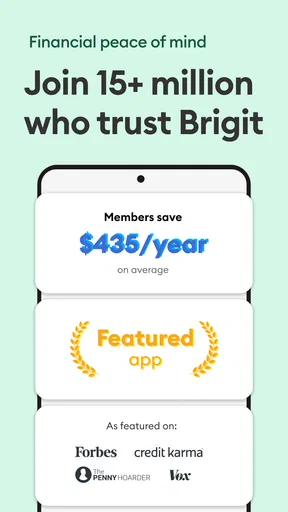
The app has been available since April 16, 2018, and its current version is 1059.0, with iOS support beginning at version 8.1. I see that longevity and platform information as useful context, not a promise that the experience will be identical on every device. Brigit has 42,000 reviews, and the overall response is strong; I would still judge it by whether its tools fit your cash-flow habits rather than by popularity alone.
For people who prefer a simple place to review spending and explore short-term support, Brigit can be a sensible option. Someone who wants only a traditional bank account, a long-term loan, or a fully self-directed spreadsheet may prefer a different tool. My practical advice is to open the app when you have time to understand its screens, not for the first time in the middle of a crisis, and to make sure any repayment fits alongside rent, food and other essentials.
Getting Started with Brigit
First off, setting up Brigit is a breeze. You download it, sign up, and link your bank account. Don't worry, it's secure and uses bank-level encryption to keep your details safe. Within minutes, you’re all set to explore the app's features.
The app is designed with simplicity in mind. Navigating through it feels intuitive, which is great if you’re not really into tech stuff. The main page gives you a clear overview of your financial health, including your spending habits and upcoming bills. It's like having a financial planner who doesn't judge you for buying that extra-large pizza last Friday night.
Cash Advance Feature
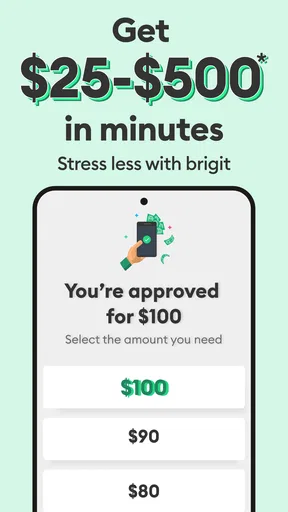
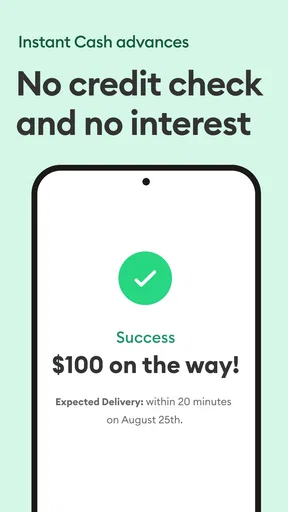
Here's the part you'll probably love the most: the cash advance. Whether you're facing an unexpected bill or just need a little extra until payday, Brigit offers a quick and easy solution. You can get up to $250 instantly, with no interest and no credit check. It’s a lifesaver when you're low on funds but still need to make ends meet.
The repayment process is straightforward too. Brigit automatically deducts the amount from your account on your next payday, so you don't have to worry about forgetting and racking up late fees. It’s designed to keep things stress-free, which is exactly what you want from a financial app.
Credit Building and Budgeting
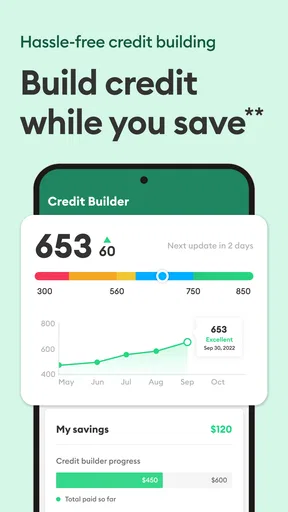
Now, Brigit isn’t just about cash advances. It also helps you build your credit, which is a huge perk. The app offers personalized tips and insights into improving your credit score. It's like having a credit coach who genuinely wants to see you succeed.
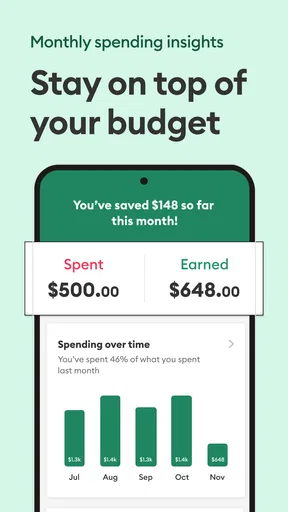
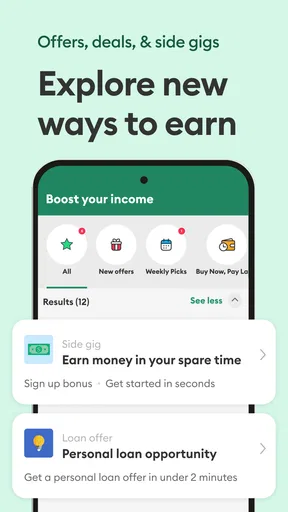
You can also use Brigit to set up a budget and track your spending. It provides insights into where your money is going, helping you make more informed financial decisions. The budgeting tool is pretty user-friendly, making it easier to stay on top of your finances without feeling overwhelmed.
One useful way to approach those budget tools is to check them before a tight week starts, not after you have already covered a shortfall with an advance. I would compare the bills and spending information with my own calendar, then decide which costs are fixed and which can move. That turns a general spending overview into a practical choice: whether the gap is temporary, or whether the monthly plan needs a more lasting adjustment.
Making the tools work in different situations
For someone with variable pay, the main benefit may be having a place to review spending and upcoming obligations between paydays. I would not assume that an advance will be available whenever income arrives late; instead, I would use the app’s budgeting view to identify the shortfall early and keep a backup plan outside the app. People with predictable pay may find it easier to plan around a repayment date, while anyone whose income or essential costs change from week to week should leave more room for uncertainty.
There is also a useful distinction between a one-off cash crunch and a recurring deficit. If an unexpected prescription, repair or utility bill creates a temporary gap, short-term support may be easier to assess than if the account is short every month. In the recurring case, repeated advances can shift the pressure into the next pay period. I would use the app’s spending picture to ask whether a particular expense caused the problem or whether several regular costs are larger than the money coming in.
Brigit’s combination of borrowing and planning tools is different from a basic banking app, which may show transactions but not offer the same blend of cash-flow support and credit guidance. It also differs from a standalone budgeting app, where the focus is usually organizing money rather than accessing an advance. The trade-off is that an all-in-one finance app may not replace a specialist tool: someone who wants detailed manual categories, a specific bank’s account services or a conventional loan should compare those options directly rather than assuming Brigit covers every need.
Readability, control and everyday access
For readers who find financial language stressful, a straightforward screen and a small number of clear decisions can make it easier to engage. I would still take time to read each screen before confirming a financial action, especially where it concerns linking an account, requesting funds or repayment. People who use larger text, screen readers, voice control or other device-level tools should check how the current app behaves with their own settings; an interface that feels simple to one person may not be equally easy for everyone.
Motor and sensory needs can affect how safely someone handles money on a phone. If tapping small controls or moving quickly between screens is difficult, I would avoid making a borrowing decision while distracted or under time pressure. A calmer moment gives you room to review the amount and repayment details, and to ask someone you trust to help interpret a screen if that is useful. That support should help you make your own decision rather than take control of your account.
Situational access matters too. A person may be checking balances on a short break, using a phone in bright light, or trying to understand a bill while tired. I find it sensible to save the app for a private moment when possible, particularly when reviewing personal financial information. If you share a device, use the device’s own privacy and lock settings, and avoid discussing account details where other people can see or hear them.
There are limits to what a clean layout can solve. Linking a bank account and making sense of repayment can still be barriers for someone with limited digital access, an unstable connection, or difficulty managing several financial accounts. The app is also not a replacement for a human adviser when debt, housing costs or persistent shortfalls need a fuller conversation. If navigating an app is tiring, a bank branch, a trusted community service or a direct call to a bill provider may be more comfortable for a particular problem.
What to check before making it part of your routine
A question I would settle early is whether I can use the app without taking an advance. The budgeting, saving and credit-related tools may be useful independently, but I would review the options available to my account rather than assume every feature works the same for every user. Another practical question is how a repayment fits with bills that are already scheduled. Looking at the dates together, instead of treating the advance as a separate transaction, helps avoid a surprise dip in available cash.
I would also decide in advance what counts as a true emergency for me. For example, if a necessary bill falls due before payday, I would compare the consequences of delaying it with the effect of repaying an advance later. That does not mean an advance is always the better choice; it means the decision is based on the full timeline, not just the relief of having cash today. If there is a lower-cost or less disruptive way to handle the bill, that may be preferable.
Another good habit is to review the app after an advance has been repaid, not just when requesting one. Checking whether the same kind of expense is likely to return can show whether a small budget change or a savings goal would reduce the chance of needing another bridge. I would treat credit tips similarly: useful prompts to consider, not a promise of a particular score change or a substitute for checking credit information and obligations carefully.
Brigit is free to download and is intended for a general audience, but “free” should not be confused with a guarantee that every financial service or choice has no conditions. I would read the in-app terms for any feature I plan to use and make sure I understand its requirements before relying on it. That is particularly important when comparing it with a credit card, a bank overdraft or a loan, since the costs, timing and consequences can differ.
Final Thoughts
In a world where unexpected expenses can pop up out of nowhere, having Brigit: Cash Advance & Credit as a backup plan is a game-changer. It's not just about getting a quick cash fix; it's about improving your overall financial health. From cash advances to credit building, Brigit offers a comprehensive suite of tools to help you manage your money more effectively.
If you're looking for an app that offers both immediate financial relief and long-term financial planning, Brigit is worth checking out. Give it a try, and you might just find that it's the financial partner you've been looking for.
My inclusive verdict is that Brigit is easiest to recommend to someone who wants several finance tools in one place, is comfortable managing them on a phone, and can plan carefully around repayment. It may be less suitable if digital navigation is a barrier, if you need ongoing support from a person, or if another borrowing option better fits your circumstances. I would explore it at an unhurried moment, use the planning features to understand my cash flow, and treat any advance as a deliberate short-term choice—not as a routine way to make an unworkable budget stretch.
Pros
- Quick and easy cash advances.
- No hidden fees or interest charges.
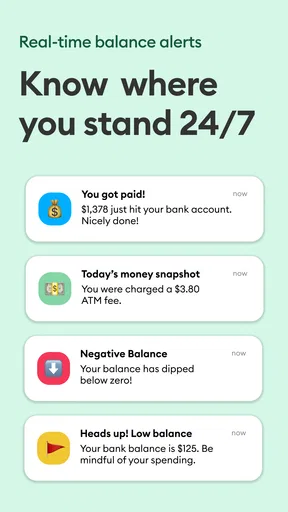
- Automatic account monitoring.
- Budgeting tools included.
- User-friendly interface.
Cons
- Limited to U.S. users only.
- Requires bank account access.
- Subscription fee after trial.
- Cash advance amount capped.
- Not compatible with all banks.
FAQs for Brigit: Cash Advance & Credit
What is Brigit: Cash Advance & Credit used for?
Brigit is an app designed to help users manage their finances by providing cash advances and credit-building tools. It offers features like budgeting assistance, financial insights, and overdraft protection. Users can receive up to $250 as a cash advance to avoid bank fees, with no credit check required.
Is Brigit safe to use for my financial information?
Yes, Brigit prioritizes user security by employing bank-level encryption and secure protocols to protect your sensitive financial information. The app connects to your bank account to analyze your spending habits, but it ensures that your data is kept private and secure at all times.
How does the cash advance feature work in Brigit?
The cash advance feature in Brigit allows users to receive up to $250 instantly. Once connected to your bank account, Brigit analyzes your account activity and determines your eligibility. The advance is automatically deducted from your account on your next payday, making it a convenient option to cover unexpected expenses.
Does using Brigit affect my credit score?
Brigit does not perform a credit check when you apply for a cash advance, so it does not directly affect your credit score. However, it offers a credit builder feature that can help improve your credit score over time by reporting your positive payment history to major credit bureaus.
Are there any fees associated with using Brigit?
Brigit offers a free version with limited features, but for full access to cash advances, budgeting tools, and credit building, users must subscribe to Brigit Plus. The subscription costs $9.99 per month, which can be seen as a small investment for those looking to avoid costly overdraft fees.


